
Vị khách vip vietsub motphim – Trải nghiệm phim độc đáo và hấp dẫn
Vị khách vip vietsub motphim – Trải nghiệm phim độc đáo và hấp dẫn
Article contents
Định nghĩa và nội dung phim
Điểm nổi bật của vị khách vip vietsub motp


Vị khách vip vietsub motphim – Trải nghiệm phim độc đáo và hấp dẫn
Article contents
Định nghĩa và nội dung phim
Điểm nổi bật của vị khách vip vietsub motp
Xoilac z co football: Trends and Detailed Analysis
Table of Contents
Overview of Xoilac Z Co Football
Schedule and Live Viewing
Team Analysis and
Lô đẹp vip – The secret to choosing the right numbers for lottery enthusiasts
Article contents
What is Lô đẹp vip?
Lô đẹp vip selection method
Lô đẹp vip statistics table
Analysis
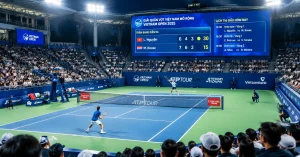
xoilac tennis live live – Experience top-tier online football
Table of Contents
xoilac tennis live live schedule
Rankings and statistics
Player profi

Detailed and complete guide to watching world cup 2026 xoilac
Article contents
World Cup 2026 schedule
How to watch World Cup 2026 on Xoilac
Analysis and
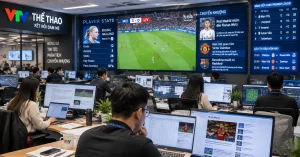
Latest football news at xoilac 24.com
xoilac 24.com always updates hot, accurate, and diverse news about domestic and international football events
This news section is built for readers who want a quick look at promos, follow weekly update rhythms, and filter out the important milestones before entering the game. The content goes straight to festival periods, weekends, payday, and member offers.
The easy part is: open quickly on mobile, organized by clear topics, with featured news, latest news, and a separate promo tracking section. If you need a concise place to read before topping up or coming back during the holidays, this is a good fit.

This news section prioritizes festival milestones, daily reward schedules, and top-up events that mobile players care about most.
Read DetailsThe news is arranged by weekly rhythm so readers can catch promos faster, especially when they need to check bonuses before peak hours.
See MoreSome news items are separated so users can easily spot birthday milestones, gifts, and account-related updates.
Read DetailsThe update rhythm is pushed weekly so readers can follow quickly without having to scan through long pages.
Read DetailsThis layout suits mobile users, letting them see at a glance which milestones need attention first.
See MoreEach card includes the posting date and a short summary so you can save it while browsing on your phone.
Read DetailsThis section is for people who are only free on weekends and want a quick read before choosing a table or entering the promotions section.
View Latest NewsThe layout prioritizes easy-to-scan text, images placed in the right spots, and does not cram everything to the bottom of the page.
Read DetailsSome news related to user support is pushed near the top for easier review when needed.
Contact
The image is placed close to the quick-read section to keep the page light, without making users scroll too far before seeing the main content.
Update cycle: latest news is arranged by posting date and topic group for easy review.
Information clarity: each card has a category, date, and short summary; no filler text just to make up the block.
Privacy & safety: the page prioritizes a light reading experience and limits unnecessary actions; the registration section is separated in the CTA.
Support: when you need to see more or ask quickly, users can go through the contact area and FAQ right from the internal menu.
Promotions +889K is used as a commercial label to group festival news, weekly offers, and notes for people following promos on mobile.
No self-created conditions are added. No numbers are attached to commitments outside the commercial display section.
Want to catch up with the latest news faster? Come back to this news section every day, or open the News section to see the rising milestones before peak hours.
This page prioritizes daily and weekly pacing. New cards will be pushed to the top so readers can see them faster.
Look at the badge right on the card: Latest News, Updates, Events, Promotions, or Weekend. This works well when reading on a phone.
Yes. The layout is divided into cards, images, and short titles, so it is still easy to scan on mobile.
Priority is given to content already available on the page and milestones that clearly show the date, category, and summary. No details are added unless provided.
Visit the News section regularly or tap View Updates to return to the latest news section.
Yes. This is a prioritized content group, especially for festival periods, payday, and member offers.
Use the Contact page or open the FAQ section from the internal menu to continue.
Read quickly, filter neatly, and see exactly the milestones you need. If you are tracking weekly promotions or waiting for a holiday, just open this news section again before deciding.